
FENTY STUDIOS / MOD
TraversalPreview
Know what your character can reach.
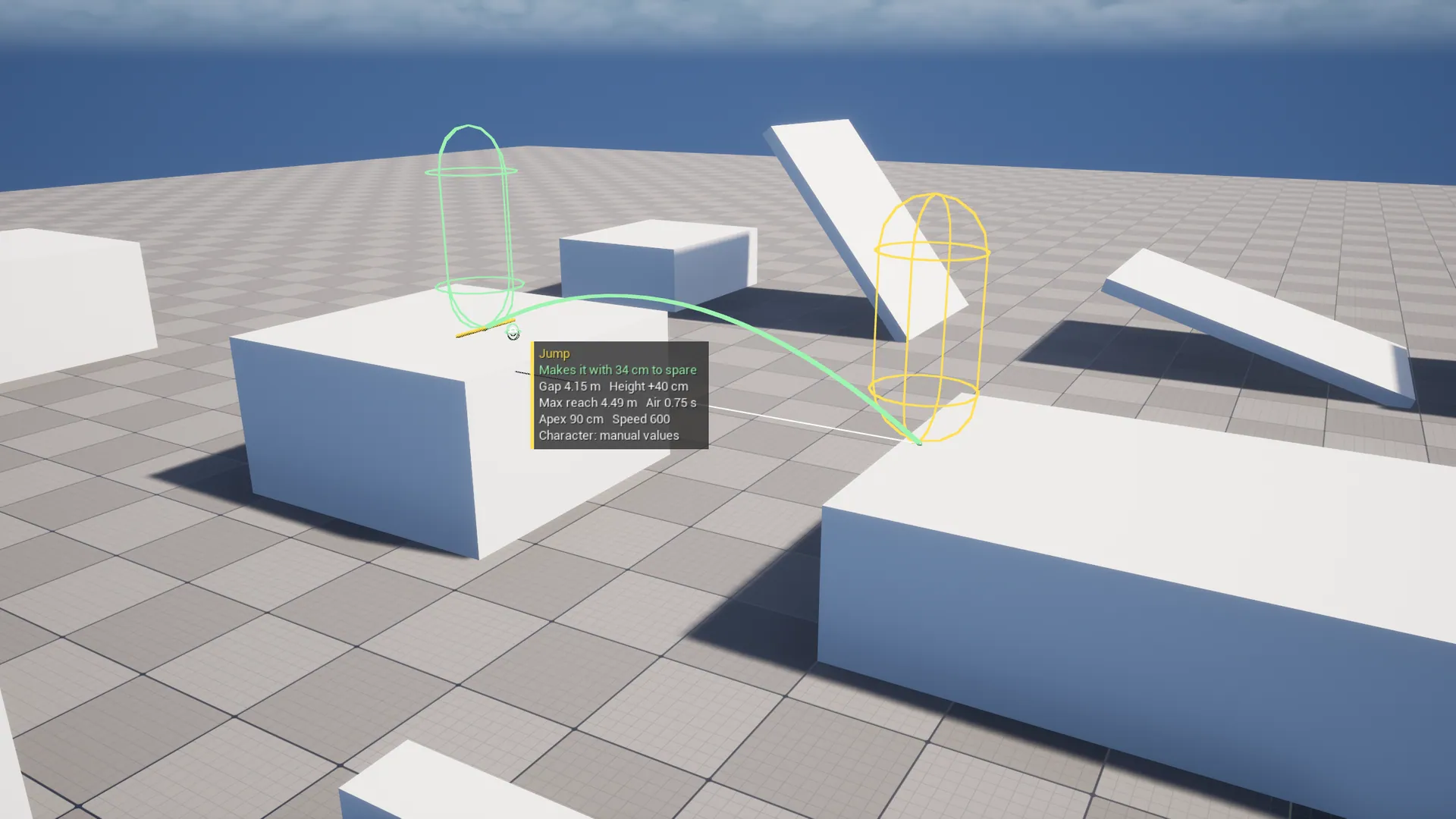
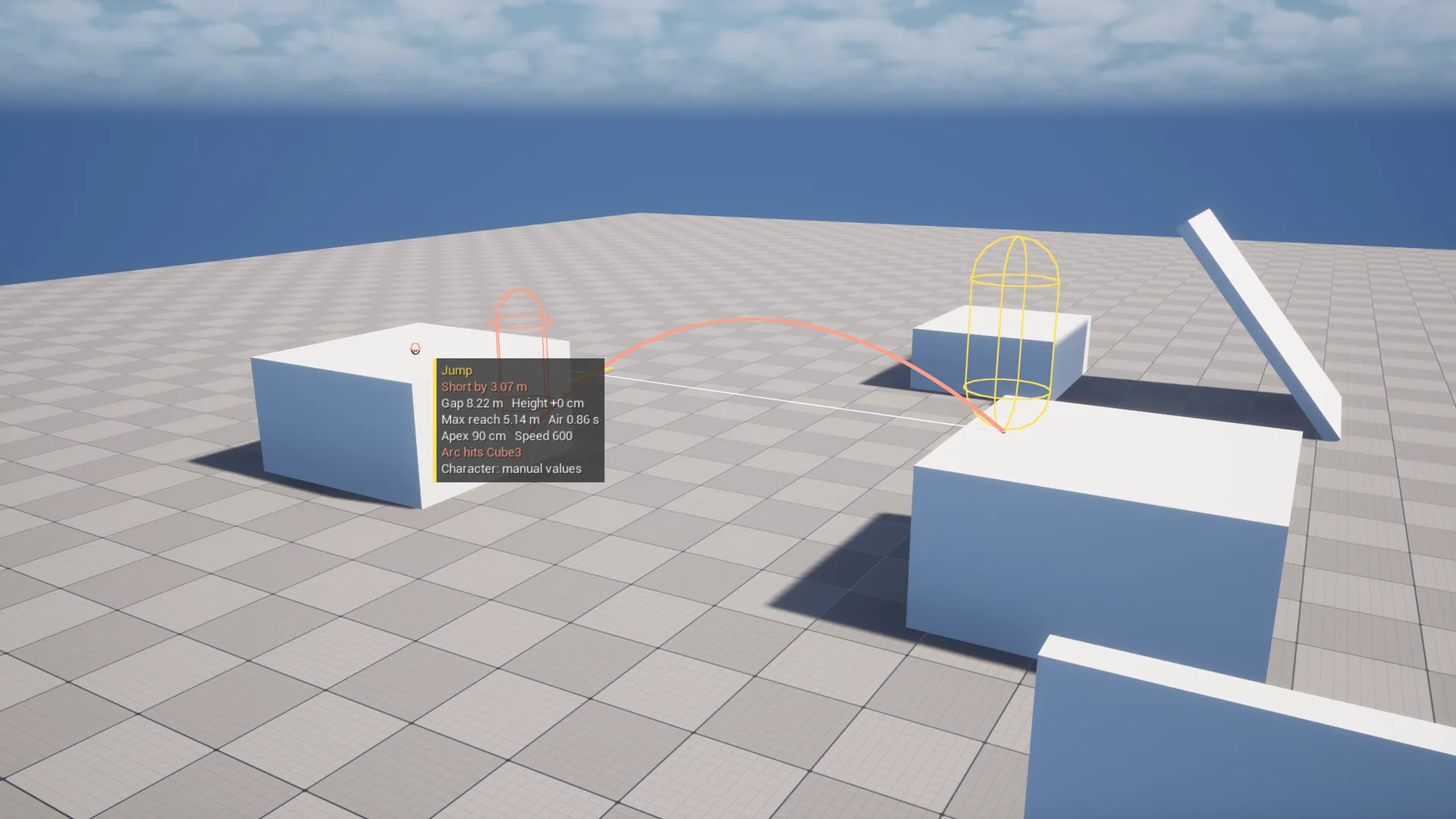
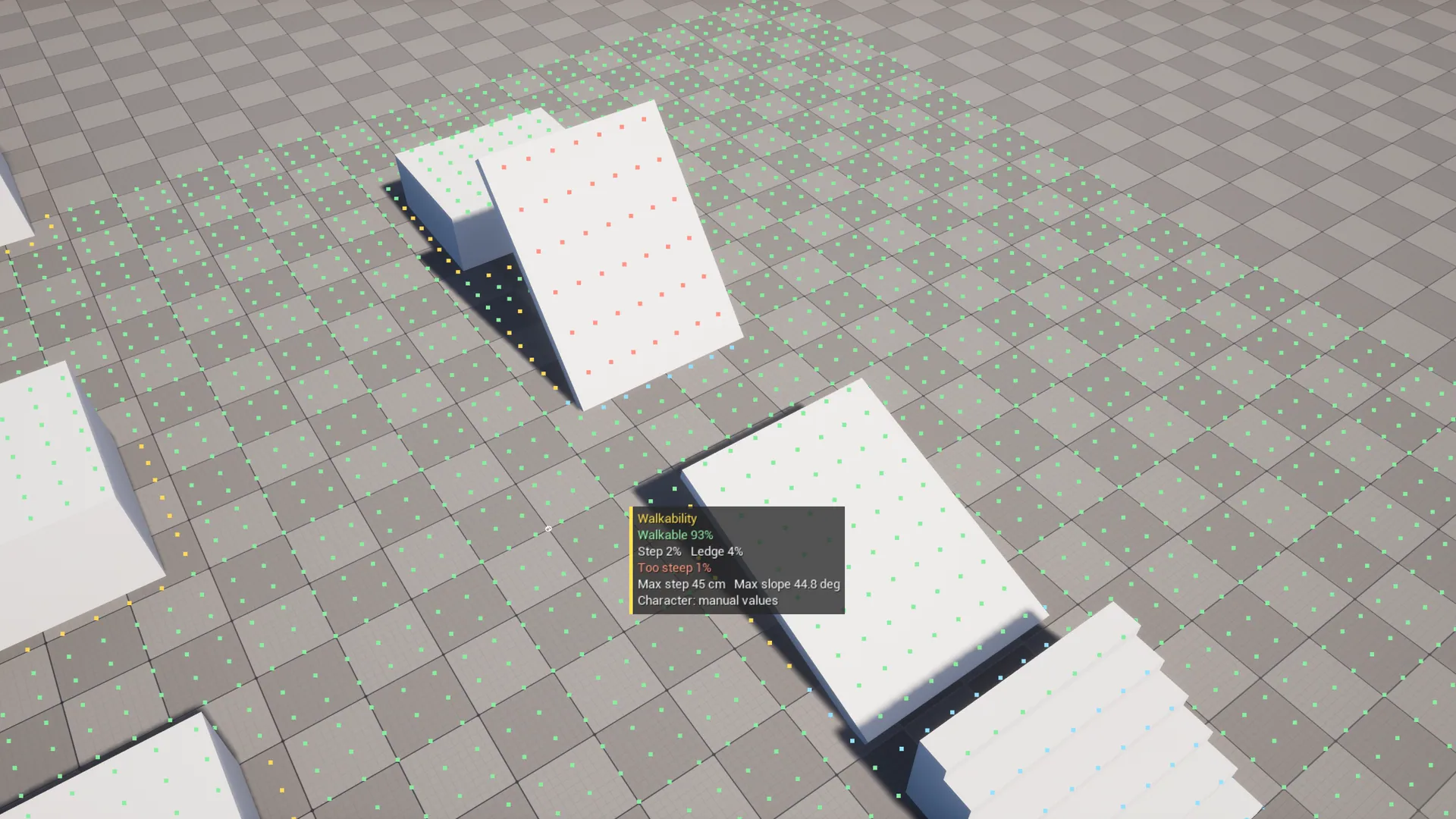
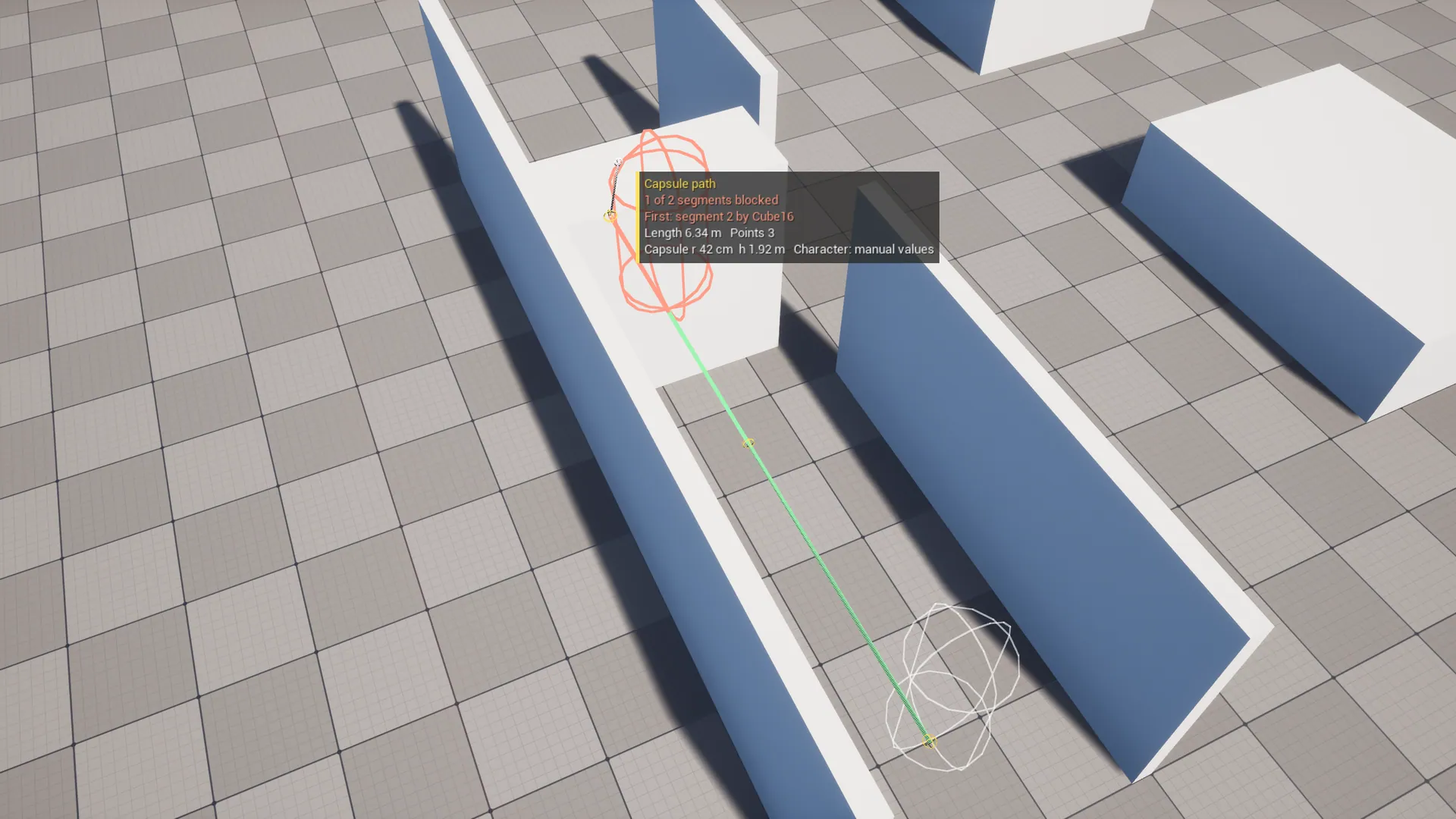
See what your character can reach without pressing Play: jump arcs and gap-jump checks with the remaining margin, a walkability overlay (walkable, too steep, step-up, ledge) and capsule clearance along a path. Reads the numbers from your Character Blueprint.
Unreal Engine 5.8.0 ? 1.0.0
Or get all five tools in the Level Design Bundle. Refund policy.

MADE FOR YOUR WORKFLOW
01
Jump reach and safety margin
02
Walkability overlay
03
Capsule path checks
A closer look.
Open an image to view it at full resolution.
User guide
# TraversalPreview User Guide

## Install
1. Install from Fab, or copy `TraversalPreview` into your project's `Plugins/` folder.
2. **Edit → Plugins**, enable **TraversalPreview** and restart.

## Set up your character (once)
**Edit → Editor Preferences → Plugins → TraversalPreview → Reference Character**: pick your player Character Blueprint.

These values are read from its defaults:

| Value | Source |
|---|---|
| Max Step Height, Walkable Floor Angle, Jump Z Velocity, Gravity Scale, Max Walk Speed | Character Movement component |
| Jump Max Hold Time | Character |
| Capsule radius and half height | Capsule component |

Gravity is the project's **Default Gravity Z** times Gravity Scale. Leave Reference Character empty to type the values in manually. Every readout ends with `Character: <name>` so you always know which numbers it used.

## Tools
Choose **Traversal** in the Level Editor's mode dropdown. The tools are in the left panel.

### Jump
1. Hover anywhere to see the standing jump apex above the cursor.
2. Click the **takeoff** point (the floor at the edge you jump from).
3. Move to the **target**. The arc, verdict and numbers update live. Click to lock the target.
4. Click again to start a new jump.

| Readout | Meaning |
|---|---|
| Makes it with X to spare / Short by X | Horizontal margin at the target's height |
| Too high by X | The target is above the jump apex |
| Gap, Height | Horizontal distance and height difference |
| Max reach | Farthest horizontal distance at the target's height (the yellow tick in the viewport) |
| Apex, Air, Speed | Peak height, time in the air, takeoff speed |
| Arc hits ... | The swept capsule hits something before landing (ceiling, wall) |

Readout size: **Edit → Editor Preferences → Plugins → TraversalPreview → Display → Readout Scale** (raise it on 4K or ultrawide monitors).

Options: **Takeoff Speed** (0 = Max Walk Speed; set your sprint speed here), **Collide Arc**, **Max Air Time**.

The math assumes no air control and a jump at full speed. Real movement can do slightly better with air control, so treat a small negative margin as worth testing in Play.

### Walk
Click the floor. A square around the click is sampled and colored:

| Color | Meaning |
|---|---|
| Green | Walkable |
| Blue | A step up within Max Step Height (climbed automatically) |
| Orange | A ledge higher than Max Step Height (needs a jump) |
| Red | Steeper than Walkable Floor Angle |

Options: **Radius**, **Cell Size**, **Height Range** (how far up and down to look for floor) and **Point Size**.

### Path
Click points along a route. Between each pair of points, the character's capsule is swept a step-height above the floor (so steps don't count as blocking) on the **Pawn** channel.

- Green segments are clear.
- On a red segment, a red capsule shows where it got stuck, and the readout names the actor.
- **Clear** starts over.

## Actions
Every tool has **Copy** (the result text to the clipboard, for bug reports) and **Clear**.

## FAQ
**Does this add anything to my level?** No. It's an editor-only module and never touches your content.

**My character uses a custom movement component.** The values are read from `UCharacterMovementComponent`, so subclasses work. Fully custom movement can use the manual values.
Changelog
# TraversalPreview Changelog

## 1.0.0
- Initial release for Unreal Engine 5.8.
- Traversal editor mode with Jump, Walk and Path tools.
- Jump reach check with margin, swept capsule arc and max-reach marker.
- Walkability overlay: walkable, step, ledge, too steep.
- Capsule path sweep with step-up allowance.
- Reads all values from a reference Character Blueprint.