
FENTY STUDIOS / MOD
LevelNotes
Keep your ideas in the level.
Sticky-note TODOs placed in your level: title, assignee, priority and status, color-coded labels in the viewport, a filterable notes panel with jump-to, and CSV/Markdown export. Editor-only, stripped from cooked builds.
Unreal Engine 5.8.0 ? 1.0.0
Or get all five tools in the Level Design Bundle. Refund policy.

MADE FOR YOUR WORKFLOW
01
Priority-colored viewport notes
02
Triage panel with jump-to
03
CSV and Markdown export
A closer look.
Open an image to view it at full resolution.
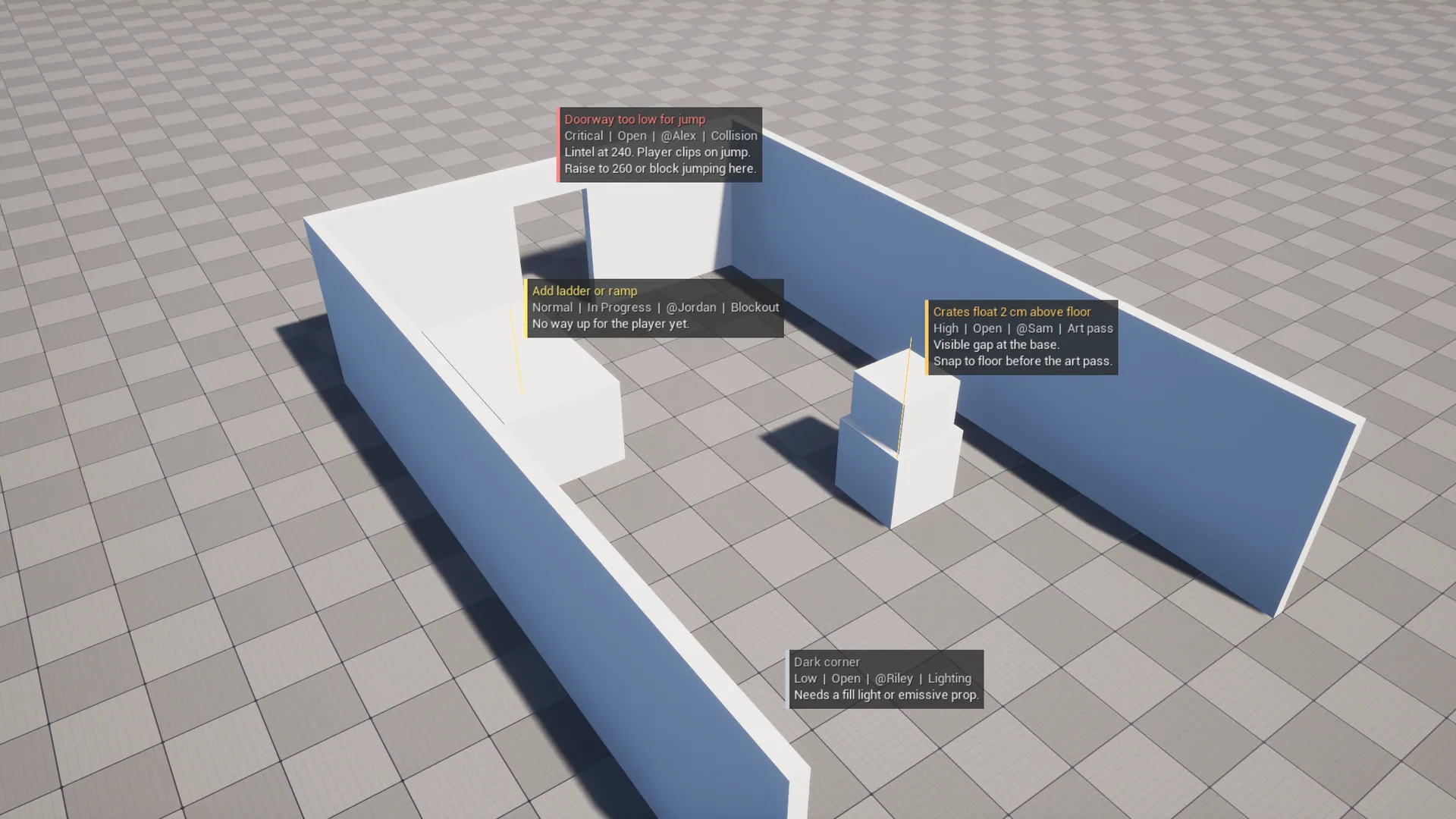
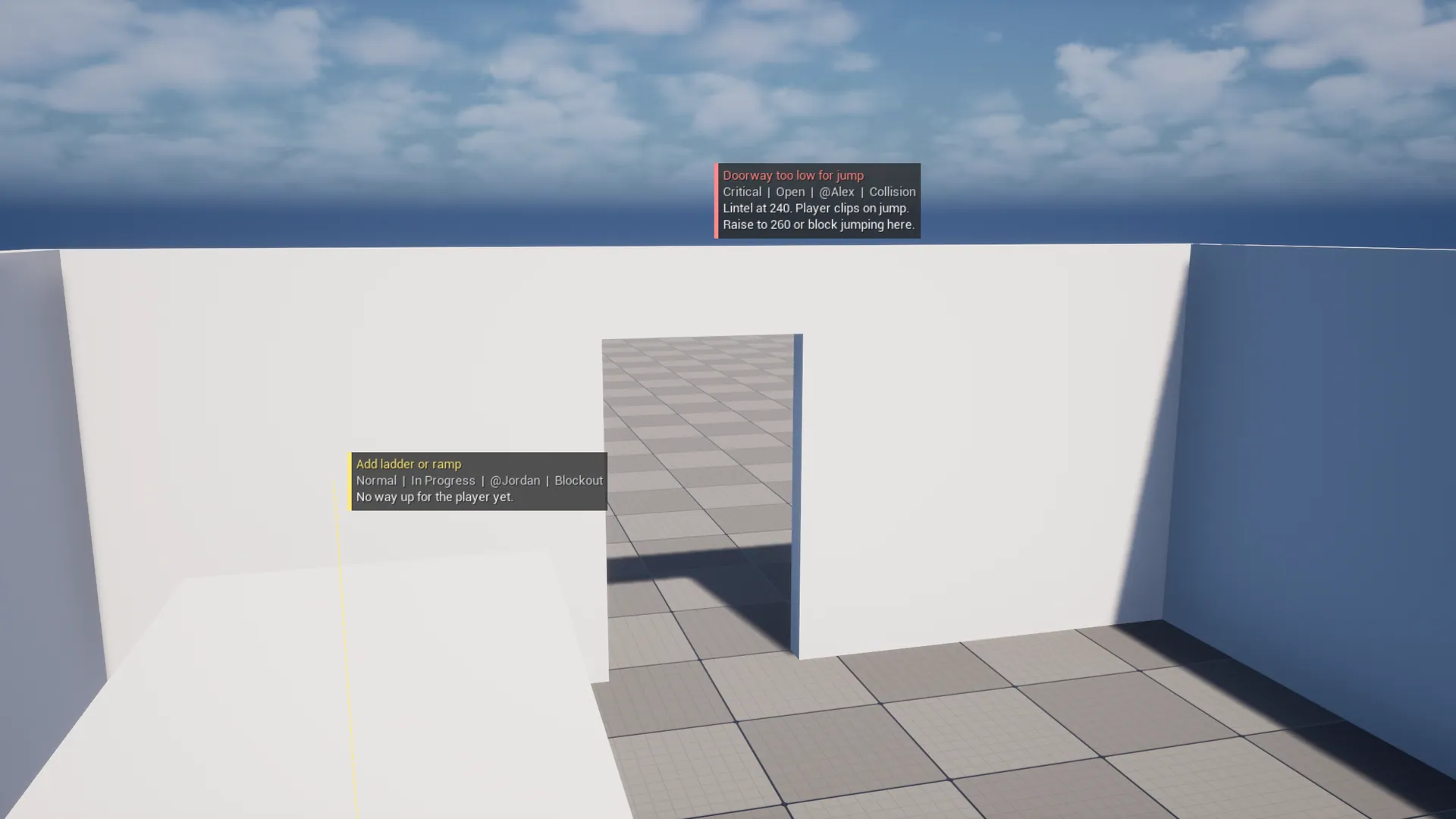
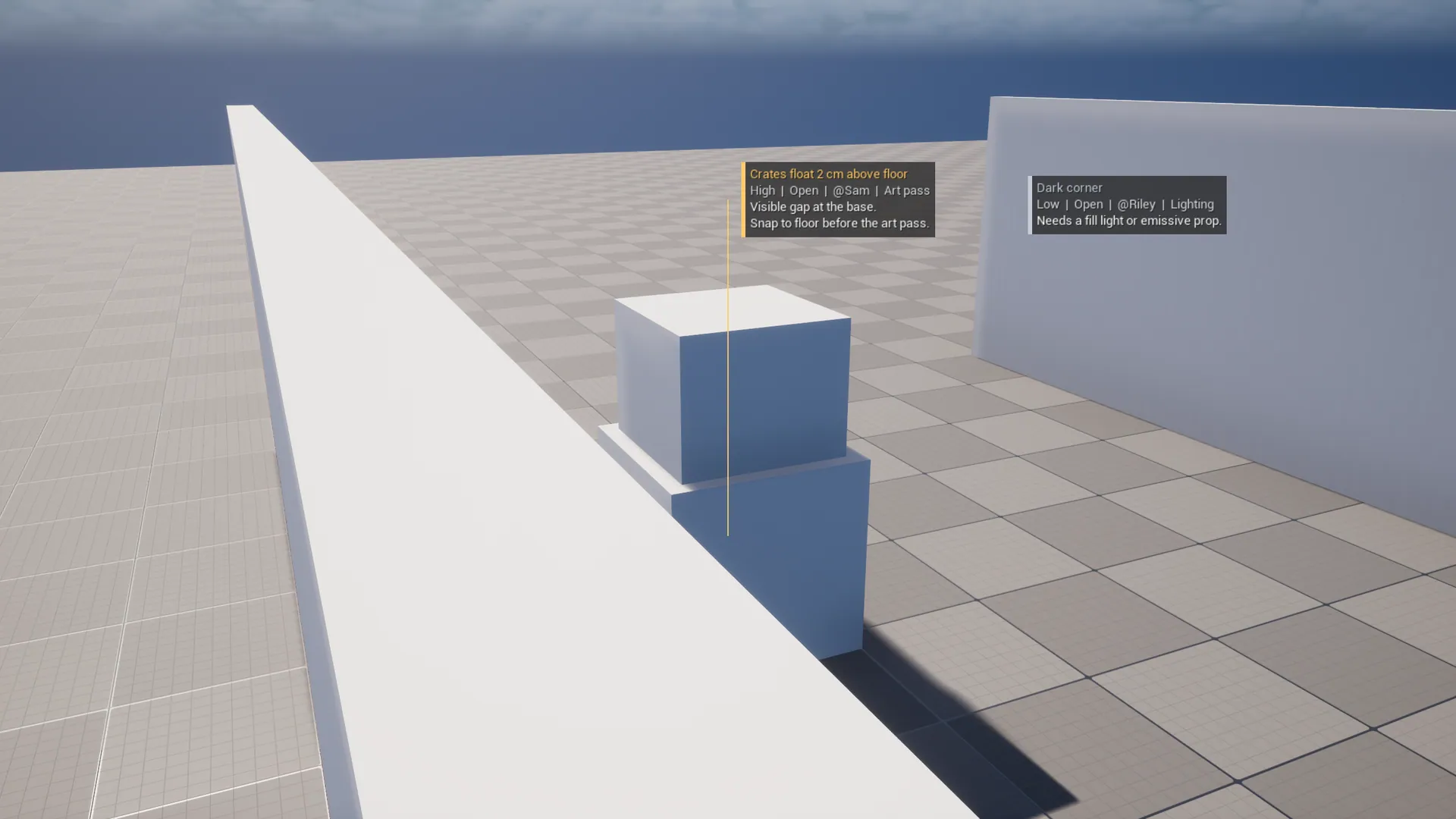
User guide
# LevelNotes User Guide

## Install
1. Install from Fab, or copy `LevelNotes` into your project's `Plugins/` folder.
2. **Edit → Plugins**, enable **LevelNotes** and restart.

## Add a note
Choose either:
- **Window → Level Notes**, then **+ Add Note**. The note is placed 4 m in front of the active viewport camera and selected.
- **Place Actors** panel: search for "Level Note" and drag it into the level.

Fill in the Details panel:

| Field | Use |
|---|---|
| **Title** | One line shown in the viewport and the panel |
| **Body** | Any detail. The first 3 lines appear in the viewport |
| **Status** | Open, In Progress, Resolved, Won't Fix |
| **Priority** | Low, Normal, High, Critical. Sets the label color |
| **Assignee** | Who should handle it |
| **Category** | Free text, e.g. Lighting, Collision, Art pass |
| **Related Actor** | Optional. A line is drawn from the note to this actor |

**Author**, **Created At** and **Updated At** are filled in automatically.

## The Level Notes panel
**Window → Level Notes** (dockable).

- The list is sorted for triage: open notes first, then highest priority, then newest.
- **Search** matches title, body, assignee, category, status and priority. It is not case-sensitive.
- **Show resolved** includes Resolved and Won't Fix notes.
- **Click** a row to select the note. **Double-click** to move the viewport camera to it.
- Hover a title to see the full body.
- The footer shows the open and total counts.

## Export
**Export CSV** and **Export Markdown** write the notes currently listed (your search and resolved filter apply) to:

```
<Project>/Saved/LevelNotes/<Map>_Notes_<timestamp>.csv | .md
```

The folder opens in Explorer, Finder or your file manager.

- CSV columns: Title, Status, Priority, Assignee, Category, Level, X, Y, Z, Author, Created, Updated, Body.
- Markdown has a summary table, then one section per note that has a body.

## Preferences
**Edit → Editor Preferences → Plugins → LevelNotes**

| Setting | Default |
|---|---|
| Show Notes In Viewport | On |
| Show Closed Notes (faded) | Off |
| Show Body | On |
| Label Scale | 1.0 (raise on 4K or ultrawide monitors) |
| Max Label Distance | 100 m (0 = unlimited) |
| Default Assignee | empty |

These are per-user settings, so each teammate can choose their own.

## FAQ
**Do notes ship in my game?** No. They are editor-only actors and are stripped when cooking.

**Are notes shared with my team?** Yes. They are saved in the level like any other actor, so commit the level (or the actor's OFPA file in World Partition).

**The labels don't show.** Make sure you're not in Game View (G) and that **Show Notes In Viewport** is on. Notes farther than Max Label Distance are hidden.
Changelog
# LevelNotes Changelog

## 1.0.0
- Initial release for Unreal Engine 5.8.
- Editor-only Level Note actor with status, priority, assignee, category and related actor.
- Priority-colored viewport labels with distance culling.
- Level Notes panel: triage sort, search, jump-to, add note at camera.
- CSV and Markdown export.